

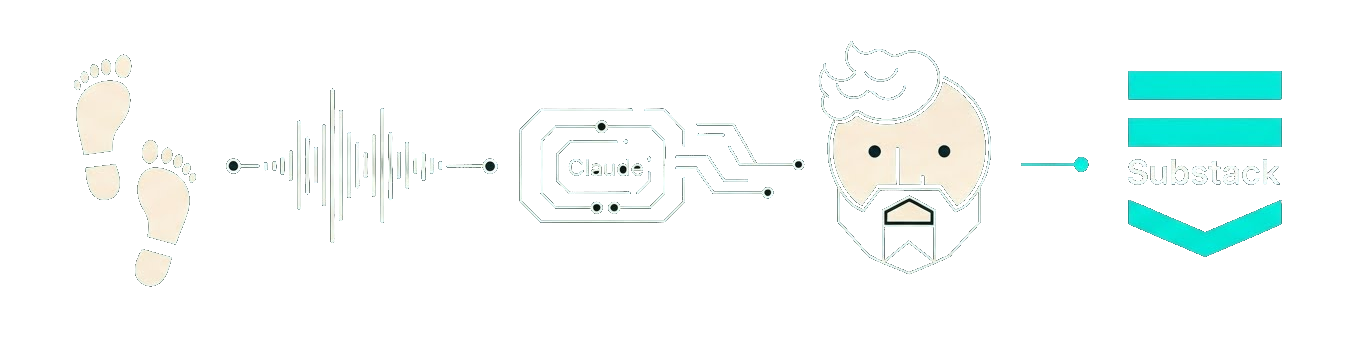
You know, I’m a maker, and I completely understand the aversion to AI slop.
Reading a piece with no human behind it, just AI researching topics and generating content for clicks? That sucks. And it’s ruining things, no question. Though this was already happening with content farms and cheap labor. AI just changed the volume and economics.
But here’s the thing: using AI as a tool to get your ideas and your experiences out into the world is fundamentally different. The intention matters. Tools aren’t evil. A power saw isn’t inherently wrong just because it changed carpentry. AI isn’t different.
Ten years ago when I was coaching and consulting, I wrote a fair bit and spent hours reviewing, polishing, getting to a final draft. When I recently picked up the pen again, I did so because I saw a way to use AI to eliminate the parts of that process that were painful. I’ve shared more reflections on this here if you want: AI Content, Junk Food, and Handmade Furniture.
Back to blogging, I’ve now built and refined a workflow using Claude Code that lets me walk, talk, and publish. The ideas are mine. The stories are mine. The perspective is mine. Claude Code just helps me get there faster and with higher quality I’d say.
Here’s how it works.
It Starts with a Walk
Ideas hang around in my head for a while. I keep notes in Obsidian. Eventually something clicks, and I know it’s time to get it out. That’s when I go for a walk.
Walking works wonders for me. My body moving helps my thinking. All I have to do is say “Hey Siri, record a voice memo” and I’m off. I can walk 45 minutes and capture everything. If the weather’s bad, I’ll walk around the room. The point is the movement helps ideas flow.
That voice memo is the raw material for everything that comes next.
Once I’ve got that recording, here’s what happens:
Transcribing the Ramble
Back at my desk, I use MLX Whisper to transcribe the audio. macOS Voice Memo has built-in transcription now, but Whisper works much better. How much better? Well, look for yourself:
. Okay. All right. So this is a blockbuster bat. My right and process. Um, the first thing and most important thing that I want to say, possibly is the them writing with the I write with AI and a lot of these quotes will be about how I structure my AI writing process, but it’s really important to to keep in mind, I’ve already posted in these posters, we should link about I Loft and and handcraftter stuff.
(Yes, that’s one continuous blob, the entire transcript looks like this.)
vs
Okay. All right.
So this is a blog post about my writing process.
The first thing and most important thing that I want to say possibly is the writing with the… I write with AI, and a lot of these quotes will be about how I structure my AI writing process.
But it’s really important to keep in mind I’ve already posted in these other blog posts that we should link about AI’s loft and handcrafted stuff.
Pretty drastic difference, right?
Whisper is pretty much the standard for speech-to-text, especially for running offline. Even paid apps like Wispr Flow use Whisper models under the hood (there’s more to it, but that model is part of the puzzle).
Part of making this a smooth process was creating a skill that Claude Code could leverage to get the transcription done. I needed a script I could call from a Claude Skill.
I don’t want to turn this post into a how-to guide for setup, that will be a fast follow, but but if you’re technically inclined, you can find mlx-whisper here.
Quick note about MLX: that’s the hardware acceleration for Mac Silicon. The MLX variant performs about 10% better on my Mac Mini, often cutting a few minutes from transcription time. In general, I can transcribe 45 minutes of rambling in under 2 minutes.
The Brief: Capturing Everything Before Writing Anything
While I run transcription from within Claude Code, you could call the script manually. What I definitely need Claude for is generating a brief from the transcript.
This is where I learned one of the first big lessons in this process.
In the beginning, I fed the transcript directly to a drafter prompt. But I realized something was wrong: there was a gap between the walk and the writing. Key ideas were missing from the final posts. Important stories were being left out.
The AI was making editorial decisions. It was choosing what mattered, and I didn’t agree. Adjusting that in the draft was cumbersome because there was already a whole bunch of writing to fix or entire narratives that depended on parts I wanted to change.
So I added the brief step. Now, Claude Code takes the raw transcript and converts it into a structured document: capturing everything without making editorial calls. Most important ideas. The story arc. Voice snippets. Key themes. Stories. Examples. Open questions. All of it.
This gives me a foundation to review. I can see what’s there, add what’s missing, and make sure nothing important gets dropped before drafting begins. I spend 30 minutes to an hour on this step depending on length, but it’s always time well spent because the draft quality depends on it.
This is also when I add links or research material if the article calls for it. I might run deep research, then review that and pull whatever I want to include. Or just submit a few articles or YouTube videos and ask Claude to extract key points and include them in the brief.
Drafting with Three Style Guides
Once the brief is solid, I feed it to the drafter prompt.
This is where I learned my second lesson: describing the tone I want isn’t sufficient to create a piece I’m happy with. I’ve got three style guides:
Personal Style Guide: I had Claude Code analyze my past blog posts (from before LLMs existed) and extract my tone, voice, and story structure. How I actually write when I’m writing well. I spent a ton of time on this, days of reviews and prompting, to make sure it was as good as it could be.
Writing Quality Guide: An academic friend reviewed my writing and pointed out common mistakes. He recommended I read Christopher Lasch’s Plain Style. I read the first chapter, Elementary Principles of Literary Construction, then fed its guidelines to Claude. The feedback was surprisingly similar to what I got from my friend. From there I built out this quality guide.
Anti-AI Guide: This one checks for AI smells. Rule of threes. Em dashes everywhere. Generic big words. Patterns that scream “a bot wrote this.” The content is mine, but AI does write the words, and people are sensitive to those tells.
The drafter follows all three guides and produces a first draft that sounds like me, or at least tries to.
This is when I do most of the work in the whole process. Depending on the complexity and nuances, AI will make mistakes, miss things I want mentioned, or I’ll remember other details or useful stories I forgot during the walk. Depending on how much I want to add, I may use voice mode. And this process creates helpful distance between the recording and the review.
Once I have a draft in good shape, the post is ready for copyediting.
Copyediting: Tightening the Writing
Here’s where the writing gets tightened up. While the drafter prompt already writes in my style and follows good writing rules, it’s not its sole focus, which means it’s more likely to make mistakes (and it does).
The copyeditor prompt’s job is to critique the draft, critique its own critique, and implement changes. It checks for flow, clarity, structure. And it runs the anti-AI smell test again.
Once it’s done, I do one more review because phrasing and word choice don’t always match my style. I also verify factual accuracy in case something was hallucinated or a concept got twisted while rearranging.
Creating the Artwork
I’ve got a visual style guide for Spike Lab: colors, themes, mood, typography. The image prompt generator reads the post and the style guide, then creates a detailed prompt for AI image generation.
I usually use Google’s Imagen 4 model. I know Nano Banana is all the rage, but I consistently get better results with Imagen. Haven’t figured out why. It takes 3-4-5 iterations, asking for modifications or to try something completely different, until I’ve got something that works.
I might also do a pass in GIMP or another photo editor. Sometimes it’s quicker than trying to fix things with a prompt.
Publishing to Substack
Publishing is largely just copying and pasting into Substack, adding the image, and placing share/subscribe buttons. There is no official API that I know of, so no chance for a substack skill and I’m fine with that.
What’s Next
I’m still iterating on this. Right now I’m testing output styles in Claude Code to tune the system behavior for writing instead of coding. The default system prompt is focused on development, and you end up fighting the LLM when you’re trying to write blog posts. You waste tokens on irrelevant prompt content, filling the context with stuff that doesn’t matter, and that leads to worse outcomes.
There’s a --system-prompt flag in Claude Code v2.0.14, but it doesn’t work for interactive sessions yet. If Anthropic fixes that, I’ll switch over. For now, I’m gathering data on how well output styles work.
On the prompt side, I’d like to add the ability to embed commands or notes for the LLM in my recordings. I’ve been finding myself wanting to tell the model things like “highlight this” or “make this the center of the story” or “link xyz to this section.” This should be pretty straightforward and very helpful. Just need to get around to it.
One thing I haven’t figured out is how to manage linking to other articles on Substack. It’s probably the most annoying step right now since I need to get the links manually and edit the post on Substack itself.
That’s It
That’s basically the whole process. Walk, transcribe, brief, draft, copyedit, artwork, publish. Every step has a human checkpoint. Every step is a chance to catch mistakes, add context, and make sure the final piece actually sounds like me.
The post you just read? It went through this exact workflow. I walked and talked about how I write. Claude Code helped me structure it, draft it, and polish it. But the idea—the experience, the philosophy, the stories—those are mine. And those are the only em-dashes of the post 😉.
What do you think? 👍 ? 👎 ?
Code, Claude skills, prompts and more are coming shortly.
That was super helpful! Got my version of this flow up and running this week, and its wonderful to start to feel some slack come back into my personal system. Thank you for sharing and writing about it!